
What a default code does not give you
A code is access, not authority. Two things stay true whatever the panel lets you do.
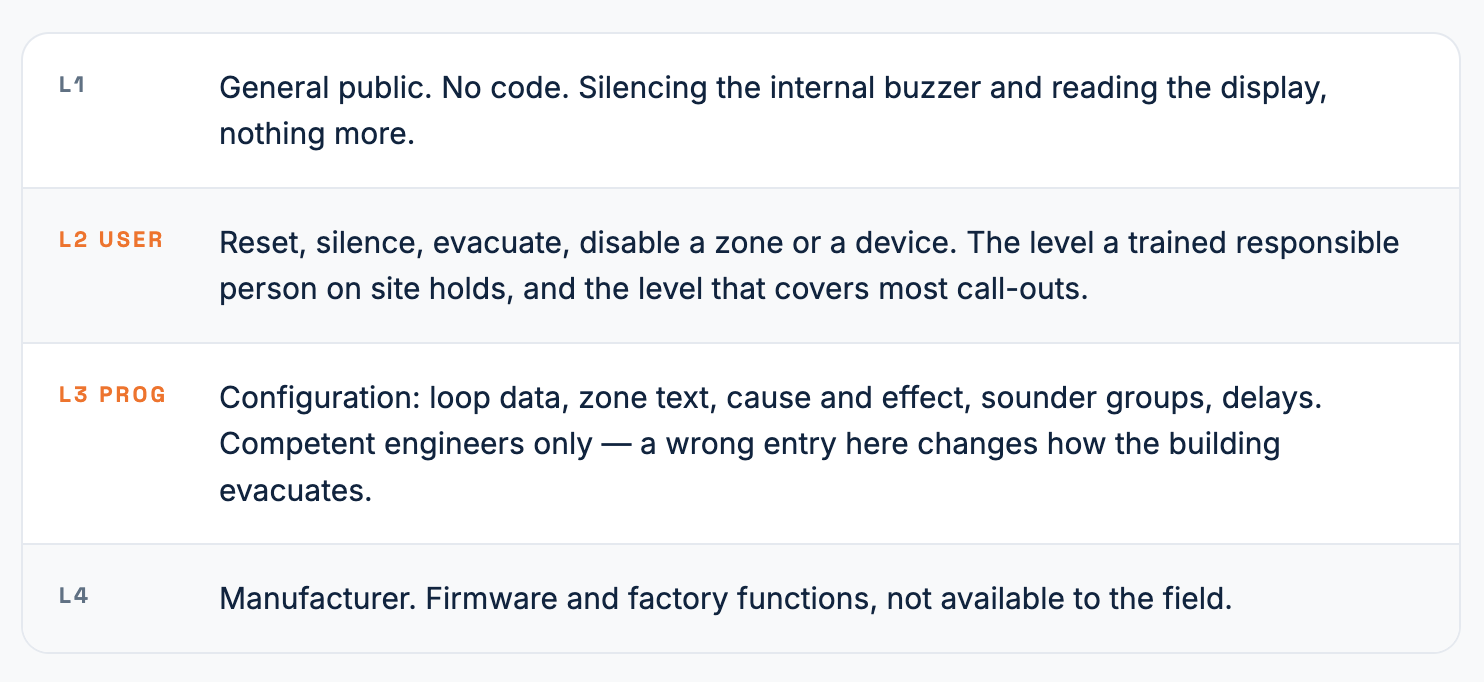
The first is competence. Level 3 is defined around the person, not the keypad. If you are not trained on that panel family, the right move at L3 is to stop and escalate, even when the code works.
The second is permission. The system belongs to the client, and any disablement, change to cause and effect, or isolation of a sounder circuit needs their agreement and an entry in the log book before you touch it. Panels record who changed what and when; so should you.
The sequence on site
Identify the panel properly. Manufacturer and model, from the label inside the door or the boot screen. Sub-brands share hardware across ranges and the codes differ between them.
Try the site code first. Log book, site file, panel door, the facilities team. A commissioned code is the correct one to use; the default is the fallback.
Enter the level you actually need. Reset and silence sit at L2. Do not go to programming to do a user job.
Watch the lockout. Several panels lock the keypad or log a tamper event after three or four failed attempts. Work through the sheet slowly rather than cycling codes.
Return the panel to normal. Re-enable anything you disabled, confirm quiescent, log the visit, and step back down to L1 before you close the door.
When the default does not work
Three explanations cover almost every case. The code was changed at commissioning, which is what should have happened. The panel has no factory default and the value was set on site. Or the range needs the manufacturer's configuration software and a connection to the panel rather than keypad entry, which is normal on the larger networked platforms.
In all three cases the route is the same: the site records, then the commissioning contractor, then the manufacturer's technical support with the panel serial number. No amount of keypad work substitutes for that, and forcing access is not a service activity.
Change the default before you leave
If you find a panel still running factory codes, that is a finding worth reporting. A published default is a published default: anyone who can reach the panel can silence, disable and reconfigure it. Changing the L2 and L3 codes at handover, recording them in the site file, and reviewing them when staff change costs nothing and closes a real gap.
Which is the honest reason a sheet like this exists. It gets the engineer back into a neglected panel, and it shows the client exactly why their codes should not be on it.
Free download
The password sheet: 51 panels, 42 manufacturers

Join from anywhere
Phone number: +971 56 1404 381
Phone number: +971 56 1404 381
Created with